
Best IPTV Player for Samsung & LG Smart TV
On a Samsung or LG TV, the right player is what makes IPTV just work. These televisions run their own app stores – Tizen on Samsung, webOS on LG – so you install a player straight on the TV, with no extra box or cable. This guide ranks the best IPTV players for Samsung and LG, explains what each is good at, and shows how to set one up in minutes.
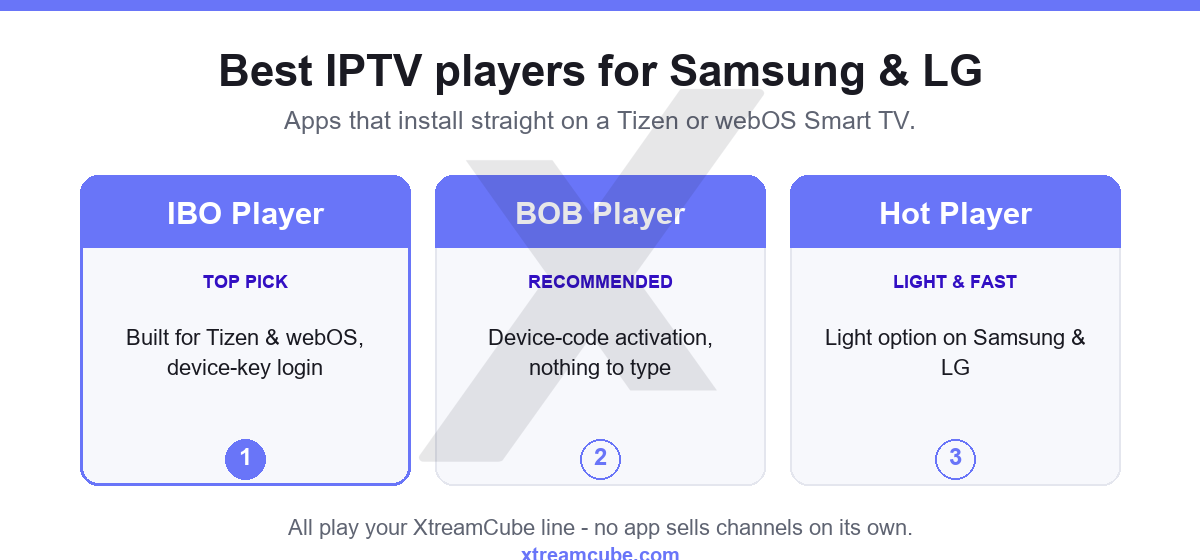
In short
IBO Player is the best IPTV player on a Samsung or LG TV – built for Tizen and webOS, with device-key activation so there is nothing to type with the remote. BOB Player and Hot Player also work well on Samsung and LG. Install one from your TV’s app store, send us the device key it shows, and your channels and guide appear within minutes. If your TV is too old to install apps, a small streaming box solves it.
On this page
Which Samsung & LG TVs this covers
Samsung – Tizen
Models from roughly 2017 onward, running
Tizen. Apps install from the Samsung app store built into the television.
LG – webOS
Models from roughly 2017 onward, running
webOS. Apps install from the LG Content Store on the television.
Not sure which system yours uses? Open the apps menu on your remote. If
you see an app store on the television, you can install a player. If not, see
the section below – there is a simple way round it.
The best IPTV players for Samsung & LG
IBO Player
RECOMMENDED ON SMART TV
Built for Tizen and webOS rather
than adapted from a phone app, which shows in how quickly channels switch. Activation by
device key – nothing to type with the remote.
Setup Device key
Guide Yes
Also on Android TV, Fire TV
Best for The same interface on every screen
BOB Player
RECOMMENDED
The same device-key route as IBO, and a solid pick on Samsung and LG if IBO is unavailable on your model.
Setup Device key
Guide Yes
Best for A second option if the first is missing
IBO Player, BOB Player and Hot Player all read the Xtream Codes API and standard M3U playlists, so your subscription loads either way.
How to set up IPTV for Smart TV
- Open the app store on your television – Samsung Apps on Tizen, LG
Content Store on webOS. - Search for IBO Player and install it. If it does not appear on your
model, try BOB Player or Hot Player. - Open the player. It displays a device key or MAC address on
screen – a short series of characters unique to your television. - Send us that key through the live chat on this site or by email. We
load your subscription onto it. - Restart the app. Your channels, the programme guide and the film
library appear. Nothing else to configure.
The whole thing takes a few minutes, and you never type a password with the remote – which is exactly why we recommend this route on a television. For the full walkthrough, see our Smart TV setup guide.
Ready to send us your device key?
Start the free trial and we activate your television straight away.
If your television is older
Televisions from before roughly 2017, or models whose app store no longer receives updates,
may not offer these players. The manufacturer eventually stops supporting the older system –
nothing to do with your subscription.
The simple fix: a small streaming device plugged into an HDMI port. It
costs little, it is quick to set up, and it makes any television with an HDMI socket work:
Both connect to the same subscription. Your television becomes the screen, the box does the
work.
Programme guide and channel list
Electronic programme guide. XtreamCube provides a full EPG listing what
airs on each channel, often up to a week ahead. Guide data is refreshed every 24 hours on our
side, and the player updates on its own.
Organising channels. You can build favourites, hide channels you never
watch, and sort by genre or region – all with the remote, without touching a keyboard.
Subtitles. Many live and VOD streams carry multi-language subtitles. The
player lets you switch them on and change language during playback.
Speed and picture quality
5 Mbps
SD and 720p
Enough for news and sports
10 Mbps
1080p Full HD
The realistic baseline
25 Mbps+
4K UHD
On a 4K television
Most Smart TVs have an Ethernet port. Use it. A cable delivers steadier
bandwidth than Wi-Fi and removes the interference behind most buffering. If you must use
Wi-Fi, connect to the 5 GHz band rather than 2.4 GHz.
If a stream buffers
- Plug in an Ethernet cable – the single most effective fix on a television
- Lower the quality from 4K to HD when bandwidth is tight
- Restart the television completely, unplugging it for a minute
- Check for downloads elsewhere on the network
Still buffering? Our team is reachable at any hour through the live chat on this site or by email.
Watching on more than one screen
One subscription streams to one device at a time. That is a firm limit,
not a soft one: a single account cannot be shared across two screens at once, and attempting
it simply interrupts whoever is watching.
When two people need different channels at the same time, the answer is a
second account rather than a shared one. Each additional login costs
15% less than the first, keeps its own favourites and resume points, and
neither screen ever cuts the other off. Worth it when the living room television and a bedroom screen are both in use.
See the exact rates on the
subscription plans page.
Frequently asked questions
Does it work on my Samsung or LG television?
If your television has its own app store – Samsung Apps or LG Content Store – yes. Models from
roughly 2017 onward are covered.
Do I need an extra box?
No, provided you can install a player on the television. Only older sets need a
Fire TV Stick or an
Android box.
What is a device key?
A short series of characters that the player displays, unique to your television. You send it
to us and we load your subscription onto it – so you never type a password with the remote.
Which player should I install?
IBO Player first; BOB Player or Hot Player do the same job if it is unavailable.
How much internet speed does a Smart TV need for 4K?
10 Mbps for reliable 1080p, 25 Mbps or more for 4K, around 5 Mbps for SD and 720p.
Can I try XtreamCube on my Smart TV before subscribing?
Yes. The free trial gives full access, so you can check the channels and the picture on your
own television before paying anything.
Stuck at any point? We answer.
Whatever your device and whatever the
question – installation, activation, picture quality, billing – our team is reachable
through the live chat on this site or by email, around
the clock. You are never left to work it out on your own.
Ready to watch on your Smart TV?
A huge library of live channels and on-demand titles. Test everything first, no payment required.
IPTV for Android TV
· IPTV for Firestick
· IPTV for Apple
· Full FAQ
· Plans & pricing
Where to go next
Pages that answer what this one leaves open. Each line says why it is worth the click, so you can skip the ones that are not your problem.
Everything above can be checked before you pay. Twenty-four hours of the real service, on your own devices, at the hours you actually watch. No card, no commitment.